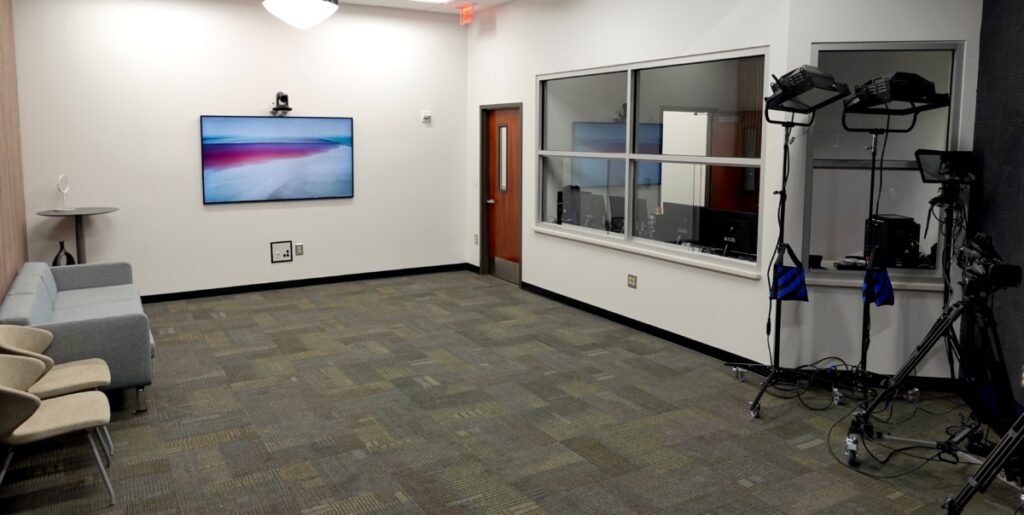
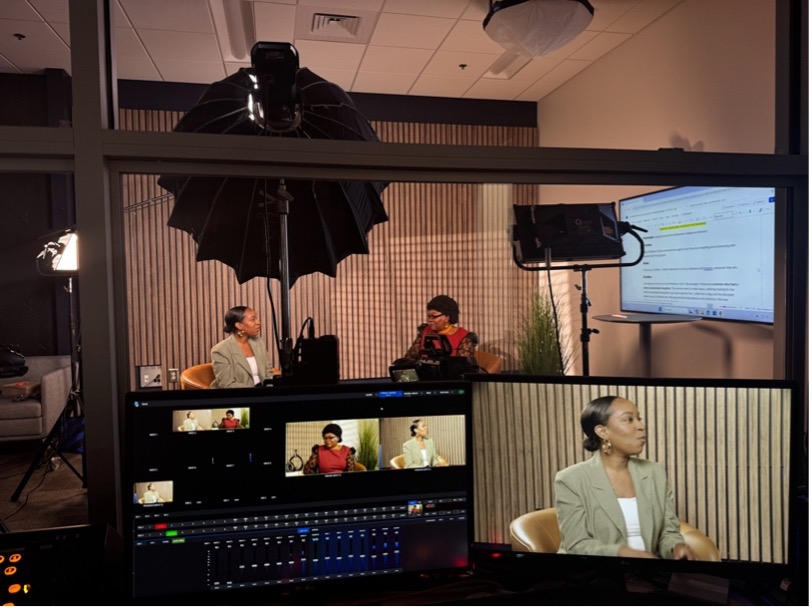
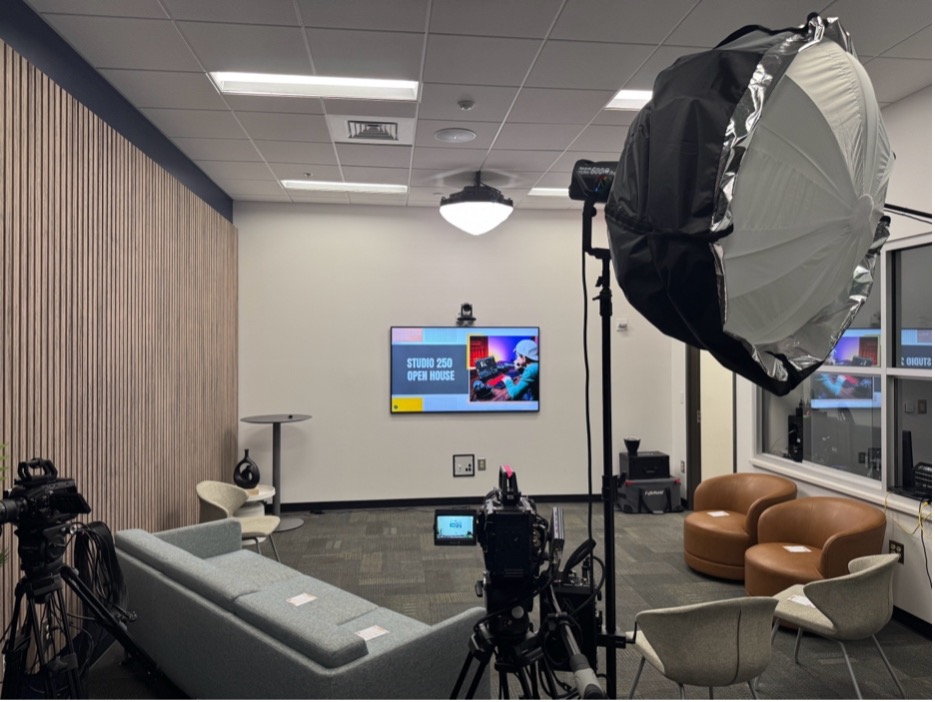
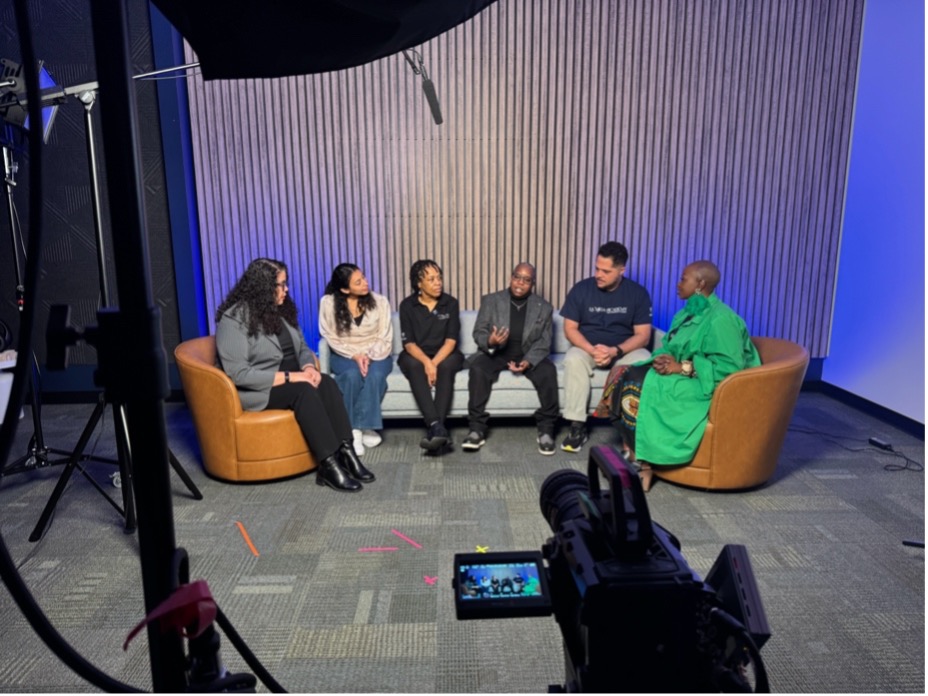
Studio 250 has had a joyful, creatively packed year, and the buzz around the studio is hard to miss. Within the larger work of the Office of Digital Learning, the studio has become a visible expression of Candler’s mission to “educate faithful and creative leaders for the church’s ministries throughout the world” in digital form. Each project whether a polished video, a simple reflection, or a quick audio recording has helped our community experiment with how teaching, formation, and ministry can flourish in online spaces.
What have we been up to?
Over the last year of operation, Studio 250 has supported around 60 projects and logged over 500 studio hours, serving 17 different communities across the Candler community. These projects have included interviews, course content, livestreamed events, student reflections, and drop‑in recordings, all designed to support learning and ministry in flexible, accessible ways.
Taken together, this year in Studio 250 tells a larger story of a community leaning into creativity, experimentation, and shared imagination. As more people discover what is possible in the studio, the digital learning ecosystem at Candler grows richer, more connected, and more responsive to the needs of learners. The excitement in the space points beyond any single project to a hopeful vision of digital ministry and theological education that is collaborative, innovative, and grounded in Candler’s mission.
Whats Next?
As Studio 250 continues to grow, we invite you to imagine what might be possible for your own courses, projects, or events. Whether you’re recording a short reflection, developing multimedia course content, or planning a larger production, the studio is here to support your creativity.
To learn more about Studio 250, available services, and best practices for digital content, visit the Candler Digital Learning tab on the Candler intranet.
🔗 Ready to book? Easily reserve Studio 250 for your next video or audio production using our Project-Based Booking Form: https://bit.ly/Studio250Booking
In the fall of 2025 Candler’s Office of Digital Learning offered a series of faculty workshops on artificial intelligence. It was important for us to be clear that a rapidly changing educational and technological environment, no conversation on generative AI will ever be complete. In the four months since we originally offered the “What is AI?” workshop, dozens of new tools, crises, and innovations have developed in the field.
So, rather than providing answers, we view our role as facilitators—creating spaces (both synchronously and asynchronously) where folks in higher ed can talk frankly about the ways that generative AI continues to shape our shared work.
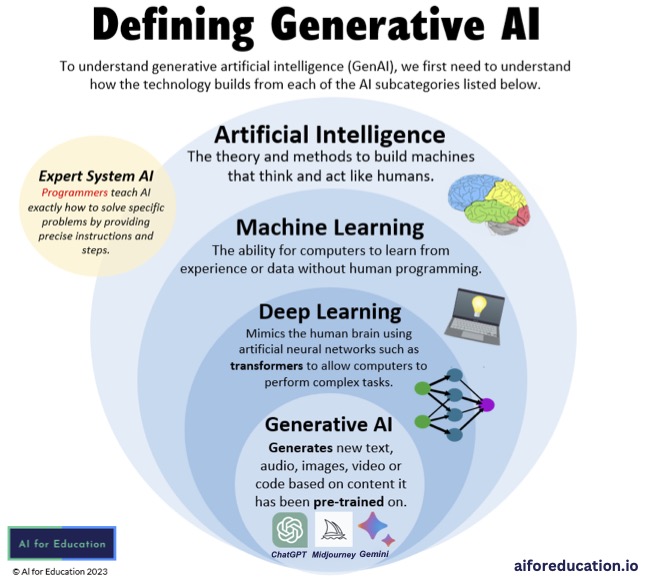
If we are going to have a conversation, though, we must get on the same page regarding terminology. When most of us think of “AI,” we are actually referring to generative AI tools that create new content. That content is based on materials that the tool has been provided (“trained on”). Does this mean the tool is thinking? Not really—it’s predicting. Based on exponentially large amounts of information, it is predicting what is the most likely (or, more precisely, the most “average”) response.
It’s also important to consider the degree to which our day-to-day activities are now enmeshed with AI tools. AI summaries are embedded in a search engines, LLMs (large language models like ChatGPT or CoPilot) are launched automatically in university accounts, and even academic databases provide AI analysis of texts that must be opted out of rather than into.
There are any number of ethical issues at stake in this conversation. Here are just a few:
Access: most LLM users are not receiving the full power of the tool until the pay for upgraded access. AI tools (both assistive and generative) are already a part of almost every workforce. Familiarity with these tools will become necessary for certain vocations—and who has access to that training?
Environmental Impact: Datacenters that are required to process this much information use huge quantities of natural resources. They also have harmful outputs and tend to be located in underserved communities. But, this is true of many industries. How can we use this conversation to be more aware of the large-scale impacts of our “normal” standards of living?
Bias: Existing human biases are written into the data bank and magnified. Most of the information that trains LLMs is in English, and likely from an American perspective. Furthermore, as the LLM or algorithm gets to know your own preferences, it feeds those back to you with greater frequency.
At Candler, there are a number of faculty already experimenting with class assignments that include AI. In our required introductory MDiv class, students read Justo Gonzalez’s History of Theological Education to get a sense of the ways seminaries have developed over time. They discuss the (often competing) credential-focused and formation-focused aspects of the curriculum, and wrestled with the scope of MDiv requirements. Then, they write a paper on the. The following questions: What is theological education? What is it for? Whom is it for? Why should anyone take it up? Why are you taking it up? And what does the increasing presence of artificial intelligence in our world mean for those in and around the world of theological education?
What do you think the role of seminary is in an age of AI? Comment below and stay tuned for the next workshop summaries in this series!
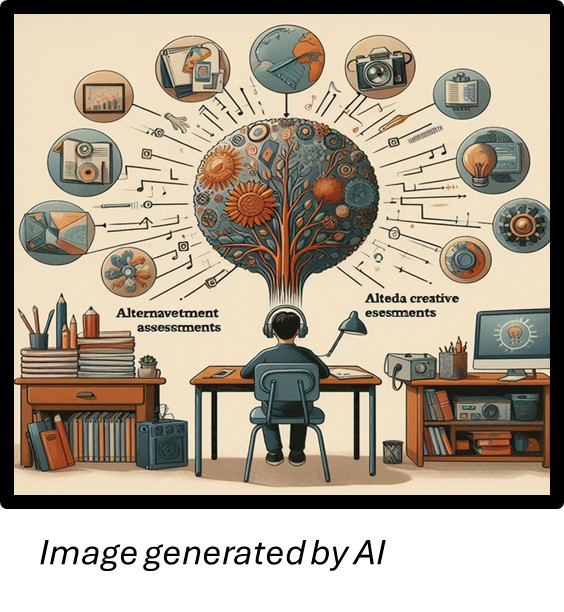
Untangling Grading and Assessments Workshop Fall 2024
📝 Simplify your grading process! Watch our Untangling Grading and Assessment workshop recording to learn practical strategies for clear and effective grading. Discover tips on creating transparent rubrics, saving time on assessments, and boosting student engagement. #CandlerDigitalLearning #GradingTips #EffectiveAssessment
🤖 Unleashing the power of AI in the classroom! This Candler workshop dives into practical ways to integrate AI tools into teaching, from brainstorming and grading support to interactive discussions. Learn how AI can streamline your workload and enrich the student experience. #CandlerDigitalLearning #AIinTeaching #EdTechInnovation”
🎥 Enhance your teaching with video! This fall, Candler Digital Learning hosted a workshop exploring creative ways to use video in Canvas courses. From VoiceThread to video quizzes, we discussed practical tools to engage students and enrich their learning experience. Check out these highlights to bring more interactivity to your classroom! #CandlerDigitalLearning #TeachingWithTech #CanvasTips”
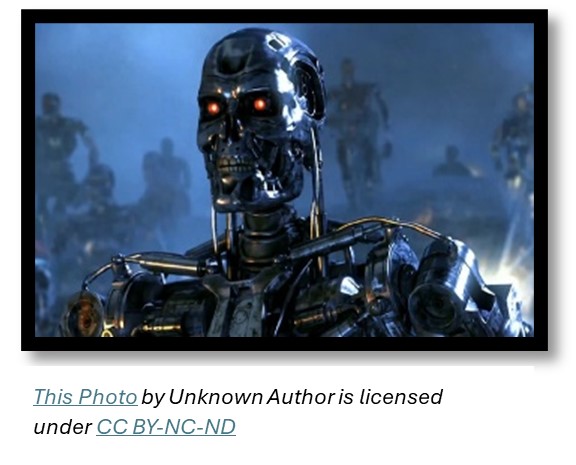
As conversations about Artificial Intelligence (AI) became ubiquitous with the launch of ChatGPT in November 2022, my mind immediately recalled the film franchise, Terminator. The movies are centered on a dystopian future where machines, in becoming self-aware, formulate a plan to wipe out humanity. As this recall suggests, my immediate reaction to ChatGPT was one characterized by anxiety and apprehension. First, existentially, what implications will this have for the human community? But also, as an educator, what will be the ramifications in classroom instruction and learning? It is this latter question which I want to explore and offer some thoughts on approaching AI in theological education.
Uncritical Uses of AI
An uncritical use of AI runs the risk of potentially diminishing integral learning skills, distorting reality, and dehumanizing education. For example, a reliance on Word processing tools that utilize AI to rewrite a user’s work, along with the use of generative AI outputs to create digital imagery and videos can lead to a loss in writing, reading, and thinking skills essential for learning and academic research. Additionally, reliance on AI tools contributes to a culture where learners are less engaged in the course and see little value in the study of writing and language as machines mimic these skills.
Another concern is that AI algorithms are not flawless. They prioritize certain perspectives over others and produce inaccuracies in their analysis as they analyze texts and key themes with limited nuance understanding of historical and cultural contexts. Consequently, an uncritical reading of the data results can distort reality for its users. Likewise, AI does not give credit to its sources and engaging AI in the classroom requires significant changes in teaching methods that demanded time and training for educators, often without compensation for their labor. These practices can in turn dehumanize education.
Intentional Use of AI
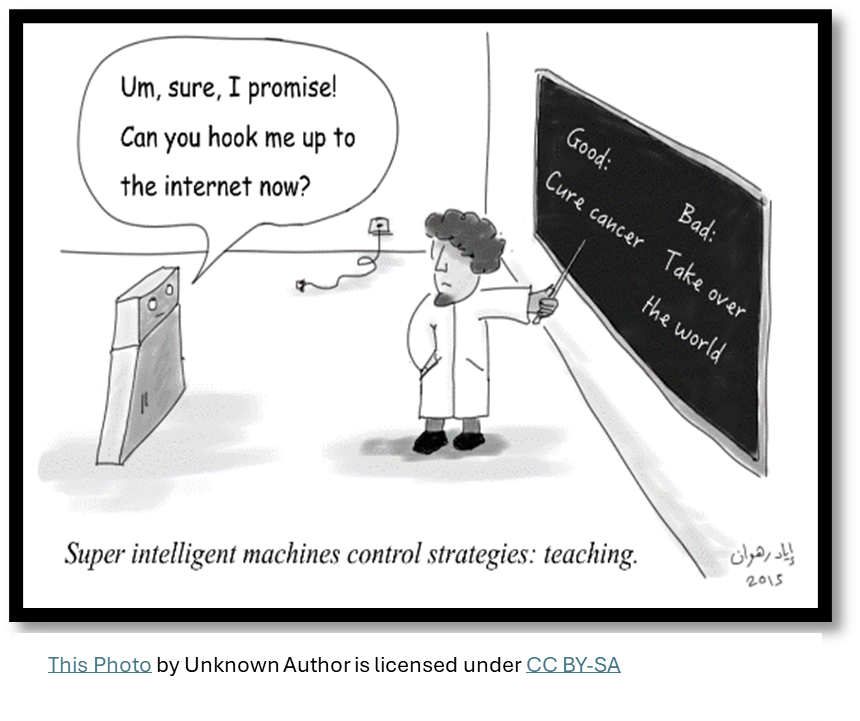
Despite my initial anxiety and apprehension, I have realized that engaging AI is more productive than ignoring it. AI will not go away. Hence, it is better to engage in critical and intentional pedagogical practices that can hopefully mitigate the concerns raised by AI. This requires planning in the front end. When developing course syllabi, one is to consider how to utilize AI in the learning activities and assessments that (1) nudge learners from a dependency on AI and (2) calls learners to think critically about how they are using AI in their learning and lived experience.
To illustrate, summative assessments could solicit learners to engage their context or a particular scenario. The planning for such situational assessments would be served best by including the consideration of the place of AI to assist learners in their preparation to complete assignments; as well as the creation of steps and activities where AI would not be helpful or not allowed to be used, i.e., when speaking of the application and implications of class learning to their context. This planning could also include developing scaffolding (formative) assessments that offer learners practice and feedback on class learning that can guide learners in completing their summative assessment. The hope is that this instructional design can increase learner buy-in for the summative assessment, minimize learner anxiety towards the assignment, and lead to less reliance on AI to produce the work. Additionally, such planning can assist in creating essays/discussion prompts and exam questions that, in identifying concrete concepts from class learning to consider in the response, could make it easier to detect content created by AI.
Where there is Sin, Grace Abounds
In closing, if our role as educators is to lead learners out towards human flourishing, for themselves and others, then are we not called to factor in AI in our courses? To employ and promote discourse of AI in ways that can form and inform learners to use AI in humanizing ways in our academic disciplines? And to do so, grounded in God’s promise that where there is sin, grace abounds that much more (Rom 5:20).
The Office of Digital learning also hosted a webinar with faculty to discuss these options, and you can view that here.
For Further Research:
National Center for Biotechnology Information (NCBI)
Have you ever researched a topic online and wished you could add something to a page or an article for others to read?
Have you had a course reading assignment and wondered what your classmates have noted, highlighted, or written in the margins of their own copy?
A non-profit based in San Francisco has created an innovative annotation tool with a mission “to help people reason more effectively together through a shared, collaborative discussion layer over all knowledge.” The tool is called Hypothesis, and it is a free, public, standards-based annotation tool that is now integrated into Candler’s Learning Management System (Canvas).
What is Hypothesis?
Hypothes.is is a collaborative annotation tool, that allows groups to edit, annotate, and reflect on online documents! A public information tool like Hypothesis, increases accessibility, holds sites and research accountable, and provides for equitable conversation to take place about how information is disseminated online.
For the world of higher education, Hypothes.is also provides an active reading tool for classes– it makes student reading visible, allowing faculty to see students process information and use that information to shape future classroom experiences.
Best of all, Hypothesis is now built into Canvas! Students can annotate, review, highlight assigned readings on Canvas to show your teacher “your work,” (Remember when you had to do this in math class? “Please make sure to show your work for full credit!” Well, this is the research and reading version of this educational task.) Teachers can now see not just that their students are reading the material assigned—but how they’re reading.
Why should you use Hypothesis?
The software increases collaboration and participation in reading online information, scholarship, and assigned reading.
Annotating online aids in the world-wide pursuit of equitable internet annotation and conversation.
Using Hypothesis on Canvas could help in reading engagement and collaborator in and out of the classroom.
How can you use Hypothesis in Canvas?
In the Classroom: It’s as if the class shares one, colorful, annotated, reflective hard copy of the assigned reading at the same time.
Reading Assignments:
Professors can create an assignment, with all the options regularly available to Canvas assignments, which leads to a Hypothes.is enabled text. We encourage faculty to give specific instructions for student engagement– consider asking students to provide definitions for terms or short bios for authors, or ask students to summarize sections and outline arguments.
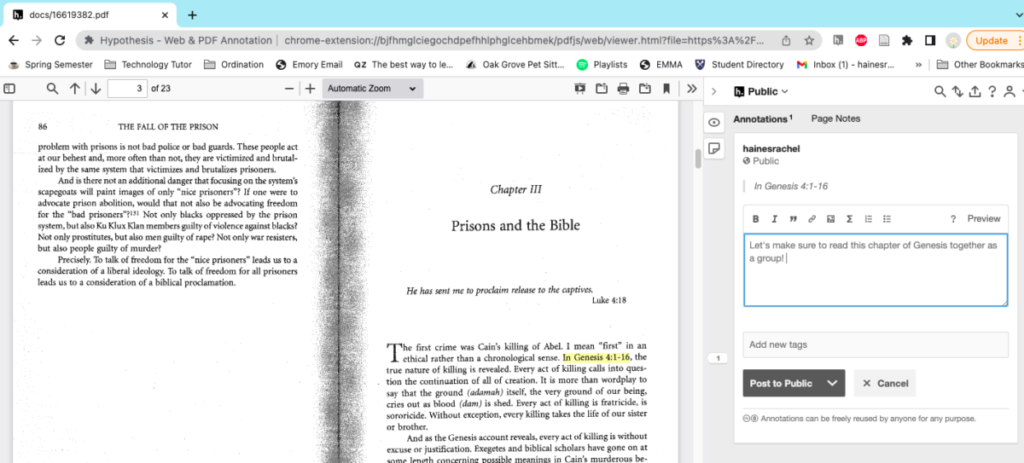
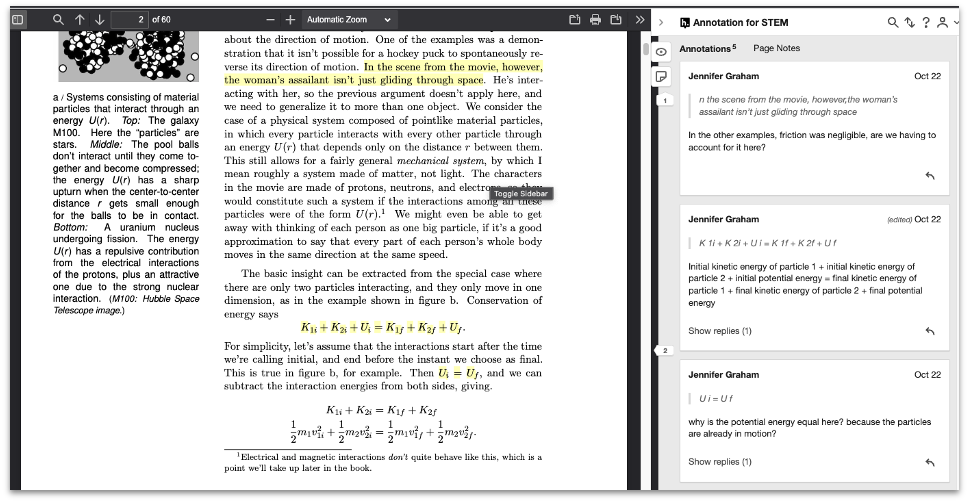
Once you’ve entered Hypothes.is by clicking the load button, you and students will see the the PDF in a tab in a new tab in your browser. The Hypothes.is tool will then appear on the right. This allows for highlighting and participating on and within the document itself.
2. Group Collaboration: Taggingand replying
In addition to writing annotations, students will also be able to review and reflect on their peers reflections and analysis on the assigned reading. There is also a “tagging” tool that allows students to group comments or quotes into categories– a great way to introduce metadata into the classroom!
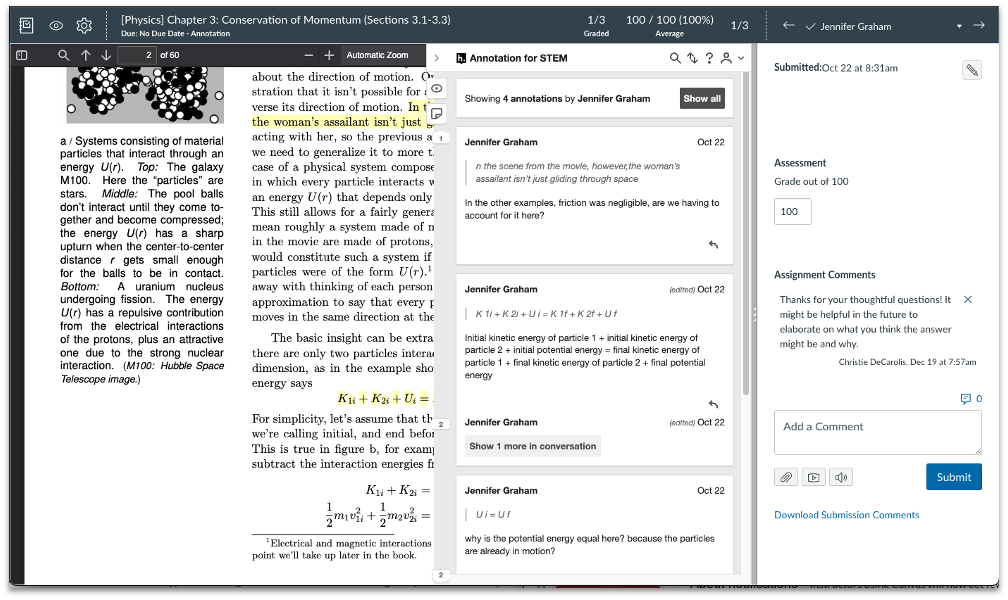
3. Grading and Speed Grader
Faculty can enter into the conversation in two ways– you can respond to comments or make comments as a regular annotator, alongside students. However, you can also make comments visible only to you and the student in the Canvas Speedgrader, as well as providing a grade for the annotation project.
The Office of Digital learning also hosted a webinar with faculty to discuss these options, and you can view that here. Proceed to page 2 if you would like to know more about the web plugin version of Hypothes.is for individualized annotation!
In the dynamic realm of education, Hy-Flex (Hybrid-Flexible) teaching has emerged as a transformative approach to cater to diverse learning needs. As we navigate this new era of education, understanding the various elements needed to embrace the new teaching environment is crucial.
Dr. Joel Kemp, one of our most respected and well-liked faculty at Candler School of Theology, shares his invaluable practices for delivering impactful HyFlex courses. While some practices may be subject to technological updates in classrooms, these principles remain fundamental for engaging both virtual and in-person students.
Dr. Kemp’s Tips for HyFlex Success:
Utilize Dual Screens: Dr. Kemp recommends having two screens visible—one displaying the presentation material (e.g., PowerPoint) and the other showcasing students participating via Zoom. This setup enables seamless interaction with both sets of students.
Leverage Zoom Chat as a Virtual “Chalkboard”: The Zoom chat feature serves as a dynamic tool for tracking class discussions, communicating with students, and maintaining engagement across virtual and physical spaces.
Design Inclusive Activities: Create activities and ask questions that allow all students to participate in similar ways, regardless of their physical or virtual presence. For example, using gestures like a “thumbs up” or “thumbs down” for true/false questions promotes uniform engagement.
Encourage Virtual Participation: Actively invite virtual students to ask questions and share comments during lectures. This practice ensures that all students, regardless of their location, feel included and valued.
Facilitate Reading Exercises: When assigning readings, use the chat to designate the order in which students will read aloud. Alternating between virtual and in-person students cultivates a sense of shared participation and encourages students to listen and wait for each other to speak.
Dr. Kemp’s best practices exemplify a thoughtful approach to HyFlex teaching, fostering an amazing learning environment for all students. As technology continues to evolve, these foundational principles serve as a guiding light for educators navigating modern teaching modalities.
For further insights into effective HyFlex teaching methods or to explore innovative approaches to digital learning, please reach out to the Office of Digital Learning at CandlerDigitalLearning [at] emory [dot] edu. Your journey to transformative teaching begins here!
In After Whiteness: An Education in Belonging, Willie James Jennings explores the implications of white supremacy and racial identity on American Christianity and education. He argues that white supremacy has profoundly impacted American society and religion and created a culture of segregation and exclusion. For Jennings, American Christianity must embrace a new theology of belonging – one that prioritizes inclusiveness and recognizes the inherent value and dignity of all people, regardless of race or ethnicity.
Jennings advocates for a new way of thinking about education and belonging that goes beyond mere tolerance and acceptance and prioritizes the deep connection and interdependence of all people. He argues that education should be used to dismantle systems of oppression and create a more just and equitable society.
What does this have to do with online learning?
The online space has the potential of breaking out of these oppressive models and into more of an equitable and inclusive learning experience.
The following principles can be directly applied to an online learning environment to create a sense of community and foster a culture of belonging among online students. This is especially important in distance learning where students may often feel isolated and disconnected from their peers and instructors.
Prioritize Communication and Connection
One strategy for is to prioritize communication and connection between learners and instructors. This can involve intentional synchronous discussions, both via Zoom and in collaborative spaces (see digital whiteboards), as well as faculty providing regular feedback and support for students.
Encourage Collaboration or Group Work
Another important strategy is to encourage collaboration or group work. This does not have to be the traditional “group project,” but can take many forms such as guided group discussions or skill building teams. These provide opportunities for students to support and learn from one another. Contact the Office of Digital Learning for more information!
Design Inclusive Learning Activities
Additionally, intentionally designed learning activities and assignments that encourage learners to share their experiences and perspectives. This is helpful because it helps others see the connection between learning and their own contexts, as well as creates mutual respect and understanding.
Create an Inclusive and Equitable Learning Environment
Finally, it is important to be intentional about creating an inclusive and equitable learning environment. This involves actively working to address and dismantle systemic barriers to learning, such as racism, sexism, and ableism. It also involves being mindful of the diverse needs and experiences of learners and taking steps to accommodate and support them. By creating an environment that is inclusive and equitable, instructors can help students feel valued and respected, and create a culture of belonging.
Creating Belonging
By incorporating these strategies online instructors and learners can work together to create a sense of belonging and community in the online space.
For more information on how to incorporate a more equitable and inclusive space of belonging for all students in your classroom, reach out to us at CandlerDigitalLearning [at] emory [dot] edu.
As online learning becomes more and more accessible, so does the possibility of a more isolated educational experience. Building community, especially in theological education, is essential to student learning.
It is important that the online environment be just as welcoming, hospitable, and supportive for online students as it is in the in-person classroom. A well-designed Canvas course can not only provide students with the tools and resources necessary to succeed academically, but it can also foster a sense of community and connection in the online classroom.
Here are some tips for making your Canvas course an inviting and hospitable space for your students:
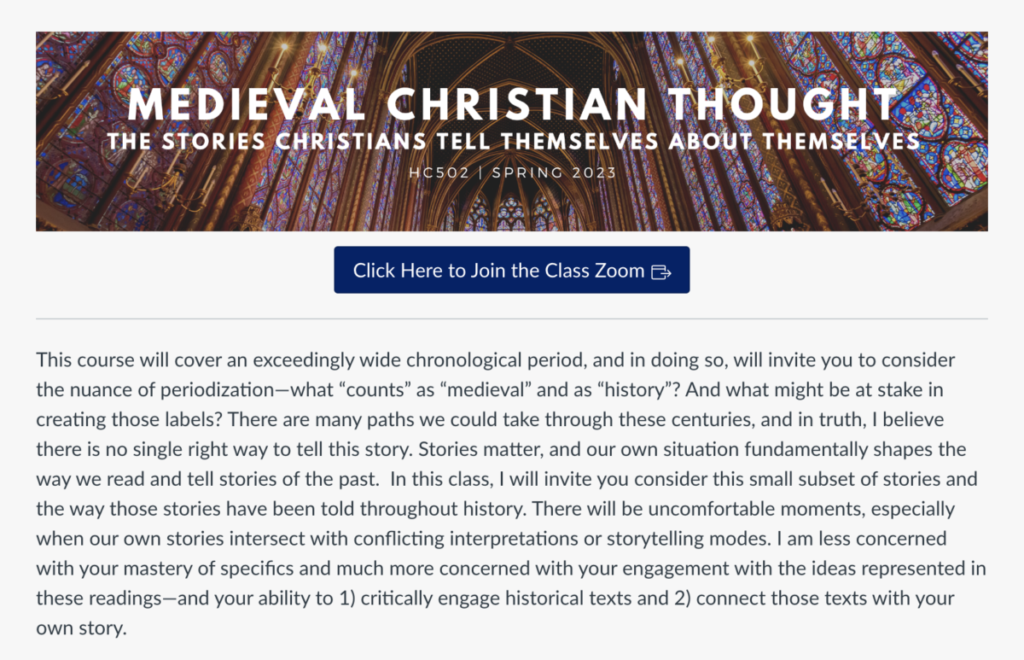
Personalize the homepage: Personalizing the look and feel of your Canvas course can help create a more welcoming space for students. Consider adding a header image, your learning goals for the course, and a way to contact you should students need any assistance. The homepage is also a great and accessible location for your syllabus file!
Encourage Interaction: Encouraging interactions among students is key to building community through Canvas. Consider using a discussion board as a way for students to introduce themselves before the class begins or to share what they are most excited to learn about after seeing the syllabus.
Make content accessible: Providing clear and concise explanations of course materials and expectations is key. Try using videos, images, and other multimedia content in addition to text to make the content more engaging and accessible.
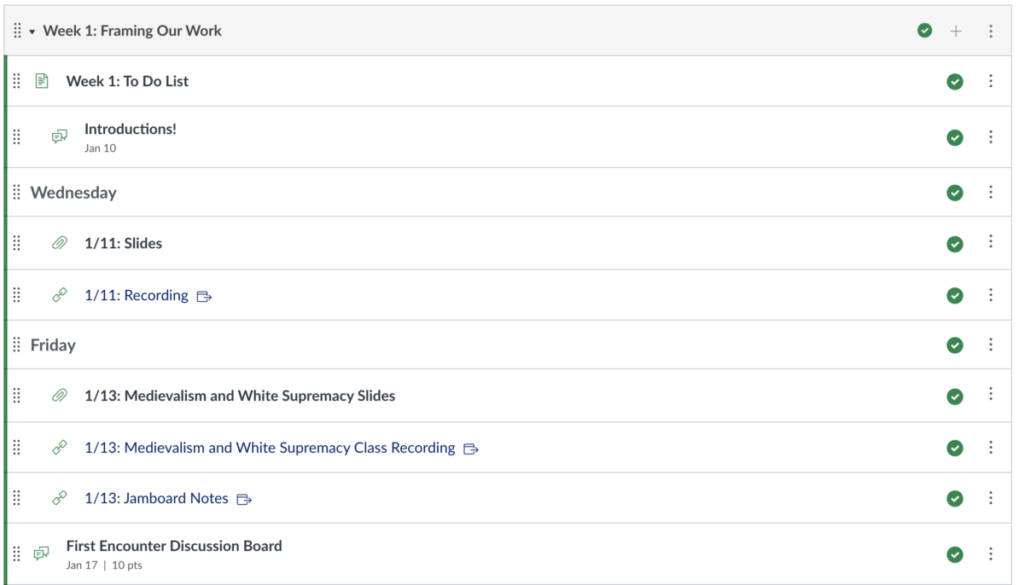
Use a consistent and organized layout: Consistency and organization can help create a sense of familiarity and comfort in the online space. Consider using a standardized template for your course content and ensuring that the navigation is intuitive and easy to use. For example, use the same format in every module so that students know what to expect and where to find necessary information about the next class.
By following these tips, you can help to create an online learning environment that is inviting and welcoming to all students. With an intentional and well-designed Canvas course, students will be able to: (1) focus more on their studies and less on finding course content and information; (2) communicate with each other both in and outside of the live class session; and (3) feel prepared to succeed in your course because the information is readily available and accessible.
Contact the Office of Digital Learning at CandlerDigitalLearning [at] emory [dot] edu for more information on how to set up your Canvas site as an inviting and hospitable place for student learning.